
Download Resume Ink – AI Resume Tailoring, Cover Letter Generator, Free & Secure Tool
Overview: Why Resume Ink Stands Out in the Crowded Resume‑Builder Market
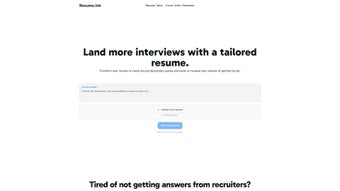
Resume Ink is a web‑based AI tool that has quickly become a go‑to solution for job seekers who want to tailor their resumes without spending hours on manual edits. Unlike traditional resume builders that require you to start from scratch, Resume Ink lets you upload an existing CV and then automatically generates customized versions that align perfectly with any job description you paste into the platform. The AI engine analyses keywords, required skills, and industry‑specific language, then rewrites bullet points, summary sections, and even the layout to match the target role. This “one‑click tailoring” approach dramatically increases the likelihood of passing Applicant Tracking Systems (ATS) and catching the eye of recruiters.
Beyond resume customization, Resume Ink includes a Cover Letter Generator that follows the same AI‑driven logic. By feeding the job posting and your resume into the system, it produces a compelling cover letter that mirrors the tone and requirements of the employer. The tool is designed for speed and privacy: no account creation is required, and all uploaded documents are automatically deleted after 30 days, ensuring that your personal data never lingers on the server.
The service operates on a freemium model, giving users the chance to preview a fully tailored resume before committing to a purchase. This risk‑free trial is particularly valuable for candidates who want to evaluate the quality of the AI output before paying for the downloadable files. In short, Resume Ink combines efficiency, security, and affordability, making it an essential addition to any job‑search toolkit.
Key Features That Make Resume Ink a Competitive Edge
- AI‑Powered Resume Tailoring: Upload your current resume, paste a job description, and receive a fully customized version in seconds.
- Cover Letter Generator: Automatically creates a matching cover letter that reflects the same keywords and tone as the tailored resume.
- No Account Required: Start tailoring instantly without the friction of sign‑ups or password management.
- Privacy‑First Policy: All documents are deleted after 30 days, and no personal data is stored beyond payment processing.
- Freemium Preview: Review the AI‑generated resume before you decide to purchase the final download, ensuring you only pay for results you love.
- ATS Compatibility Check: The AI scans the target job posting for ATS‑friendly keywords and formats, boosting your chances of passing automated screens.
- Multi‑Format Export: Download your tailored resume and cover letter in PDF, DOCX, or plain‑text formats for easy uploading to job portals.
- Cross‑Platform Accessibility: Fully web‑based, so you can use Resume Ink on Windows, macOS, Linux, Android, or iOS browsers without installing additional software.
These features collectively address the most common pain points in the job‑application process: time consumption, lack of personalization, and fear of data misuse. By automating the tedious parts of resume customization while preserving a high level of control over the final output, Resume Ink empowers both entry‑level candidates and seasoned professionals to present a polished, targeted application package.
Moreover, the built‑in ATS compatibility checker distinguishes Resume Ink from generic resume templates. The AI doesn’t merely shuffle words; it strategically places high‑impact keywords where recruiters and automated parsers expect them, such as in the professional summary, skills section, and bullet points. This nuanced approach results in higher match scores on popular job boards, translating to more interview invitations.
Installation & Usage Instructions: Get Started in Minutes
Since Resume Ink is a fully web‑based service, there is no traditional installation process. All you need is a modern browser (Chrome, Firefox, Edge, Safari) and an internet connection. Follow these simple steps to start tailoring your resume:
- Visit the Official Site: Navigate to resumeink.com. The homepage immediately presents a clean upload interface.
- Upload Your Current Resume: Click the “Upload Resume” button and select a PDF, DOCX, or plain‑text file from your computer or mobile device.
- Paste the Job Description: Copy the full text of the job posting you’re interested in and paste it into the designated box. The AI will analyze the description for keywords, required skills, and preferred experience levels.
- Generate Tailored Versions: Hit the “Tailor My Resume” button. Within seconds, the platform produces a side‑by‑side comparison of the original and the AI‑enhanced resume.
- Review & Edit (Optional): Use the built‑in editor to make any final tweaks. You can adjust phrasing, reorder sections, or add additional achievements if desired.
- Generate a Cover Letter: If you need a matching cover letter, click the “Create Cover Letter” tab and let the AI craft one based on the same job description.
- Preview & Purchase: Examine the preview. When satisfied, click “Download” and choose your preferred format (PDF, DOCX, TXT). A secure payment gateway handles the transaction; after payment, the files are available for immediate download.
Because the service is cloud‑based, it works equally well on desktop computers, laptops, tablets, and smartphones. The responsive design automatically adjusts the layout, ensuring a smooth experience on both Windows 10/11 and macOS Ventura or later, as well as on Android 12+ and iOS 15+ browsers.
Compatible Operating Systems: Windows, macOS, Linux (via any modern browser), Android, iOS. No additional plugins or extensions are required, making Resume Ink a truly platform‑agnostic solution for job seekers on any device.
Pros and Cons: A Balanced Look at Resume Ink
Pros
- Speed: Generates a fully tailored resume in under 30 seconds, saving hours of manual editing.
- Privacy‑Centric: No account creation and automatic deletion of files after 30 days.
- Freemium Preview: Allows users to evaluate AI output before any financial commitment.
- ATS Optimization: Built‑in keyword analysis improves visibility on applicant tracking systems.
- Cover Letter Integration: One‑click generation of a matching cover letter eliminates the need for separate tools.
- Cross‑Platform Accessibility: Works on any device with a modern browser, no installations needed.
- Multiple Export Formats: PDF, DOCX, and plain‑text options cater to different employer requirements.
Cons
- Limited Free Downloads: The free tier only provides a preview; the final download requires payment.
- Internet Dependency: Requires an active internet connection; offline editing is not possible.
- AI Style Consistency: While the AI is strong on keyword matching, highly creative or industry‑specific language may need manual refinement.
- Pricing Transparency: The exact cost per download varies based on subscription level, which may confuse first‑time users.
- No Direct Integration with Job Boards: Users must manually upload the final files to platforms like LinkedIn or Indeed.
Frequently Asked Questions
Is Resume Ink really free to try?
Yes. You can upload your resume, generate a tailored version, and view the preview without paying. The download of the final document requires a one‑time purchase or subscription.
How does Resume Ink protect my personal data?
Resume Ink does not store any uploaded files longer than 30 days, and it never creates a user account. All data is encrypted during transmission, and the only information retained is the minimal payment details required for the transaction.
Can I use Resume Ink on my mobile phone?
Absolutely. The platform is fully responsive and works on Android and iOS browsers, allowing you to tailor resumes on the go without any additional apps.
What formats are supported for upload and download?
Upload: PDF, DOCX, and plain‑text (TXT). Download: PDF, DOCX, and TXT, giving you flexibility for any job‑application portal.
Does the AI handle industry‑specific jargon?
The AI is trained on a broad set of job postings across multiple sectors, so it recognizes and incorporates common industry terminology. However, for highly specialized fields, a quick manual review is recommended to ensure precision.
Conclusion: Should You Download Resume Ink?
Resume Ink delivers a fast, secure, and AI‑driven solution for anyone who wants to transform a generic CV into a targeted, ATS‑friendly masterpiece. Its freemium model lets you test the quality of the output before spending, and the built‑in cover letter generator streamlines the entire application package. While the need for a paid download may be a drawback for ultra‑budget seekers, the time saved and the higher interview conversion rates typically justify the modest investment.
If you’re serious about landing interviews in a competitive market, downloading Resume Ink is a smart move. Its privacy‑first approach, cross‑platform accessibility, and robust feature set make it a standout tool among free resume builders. Click the button below to start your free preview, evaluate the tailored resume, and decide if the premium download is worth it for your career goals.



.png)



